Start here
What the app does
The app turns your manuscript into a publication. You write in Word as usual. Then you bring the file into the app, check it, and create the files you need: a PDF, a web page, an ebook, or files for a publishing system.
The journey has five steps:
- Import your Word file.
- Check what the app found: headings, figures, tables, authors and references.
- Edit your document in the editor, if something needs fixing.
- Choose a template and adjust its settings.
- Export the finished files.
What happens to your Word file
The app reads the content of your Word file: the text, headings, lists, tables, figures, captions, footnotes, equations and references. It recognises parts such as headings, figures and references, so you can edit them in the app.
Your Word file itself is not changed. The app keeps a copy, and from then on you work in the app.
Content and design are kept apart
This is the most important idea in the app:
- Your document holds the content: what you wrote.
- The template holds the design: how the publication looks.
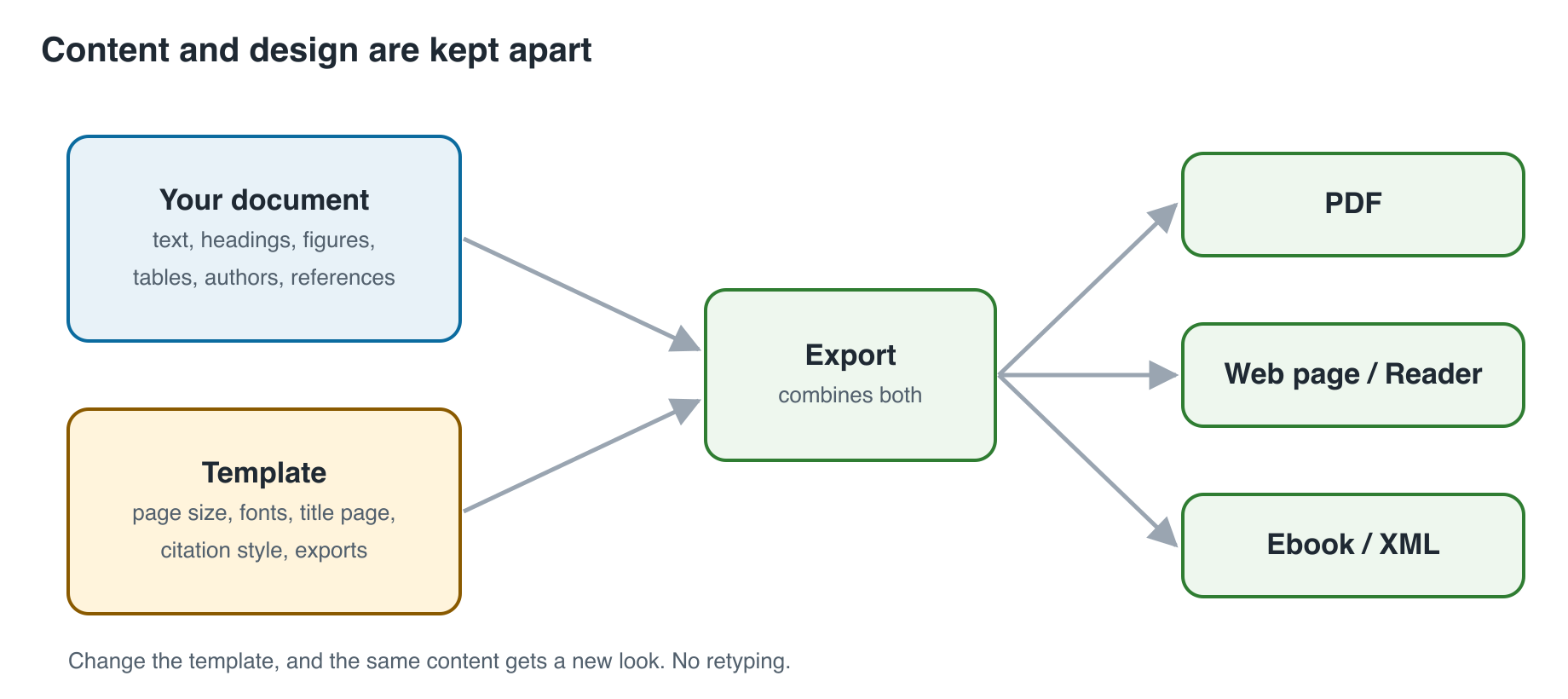
That is why your document can look plainer in the app than in Word. The page size, fonts and title page come from the template when you export. If you switch to another template, the same content gets a new look, without any retyping.
Who provides your template
Templates are usually set up by a technical contact at your publisher, university or the organisation that runs the app. You do not need to build one. You pick the template you were given and, if needed, make small changes in its settings (see Templates and settings). If your journal has no template yet, SciFlow Publish, a separate service, can create one with you and host it on its own platform.
Try it out
Open the demo and follow along with the example manuscript, a Word file made for trying the app.
Next: Import your manuscript